
Context bloat builds up when the same history is sent on every turn.
18.0% of runs−$2.1K/mo

“The always-on recommendations from Papaya have significantly reduced the error states in our inference. As we find ourselves writing most of our prompts with AI, I think this product is a no-brainer.”

“Papaya has made my life much easier by giving me actionable recommendations to improve my AI agents. The simplified trace viewer helps me quickly understand what is happening.”
We analyze your production traces and your agent’s code to uncover quality gains and cost wins, and turn each one into a fix.
Papaya reads your production traces and the code behind them: prompts, context, tools, models, and outcomes. It connects recurring behavior across thousands of runs to the code that causes it, and shows you which fixes matter most.
See how Papaya works, step by stepContext bloat builds up when the same history is sent on every turn.
Prompt caching fails when context is ordered incorrectly.
Tool schema drift causes valid requests to fail.
Retry loops persist because the agent is not configured to recover.
Papaya ingests traces in any shape, builds your quality rubric, ranks every improvement by impact, and delivers fixes where you work — from Slack alert to opened PR.
Papaya reads your traces in any shape and flags what’s going wrong, with how many traces and users each issue affects. Connect your code and it pinpoints the cause.
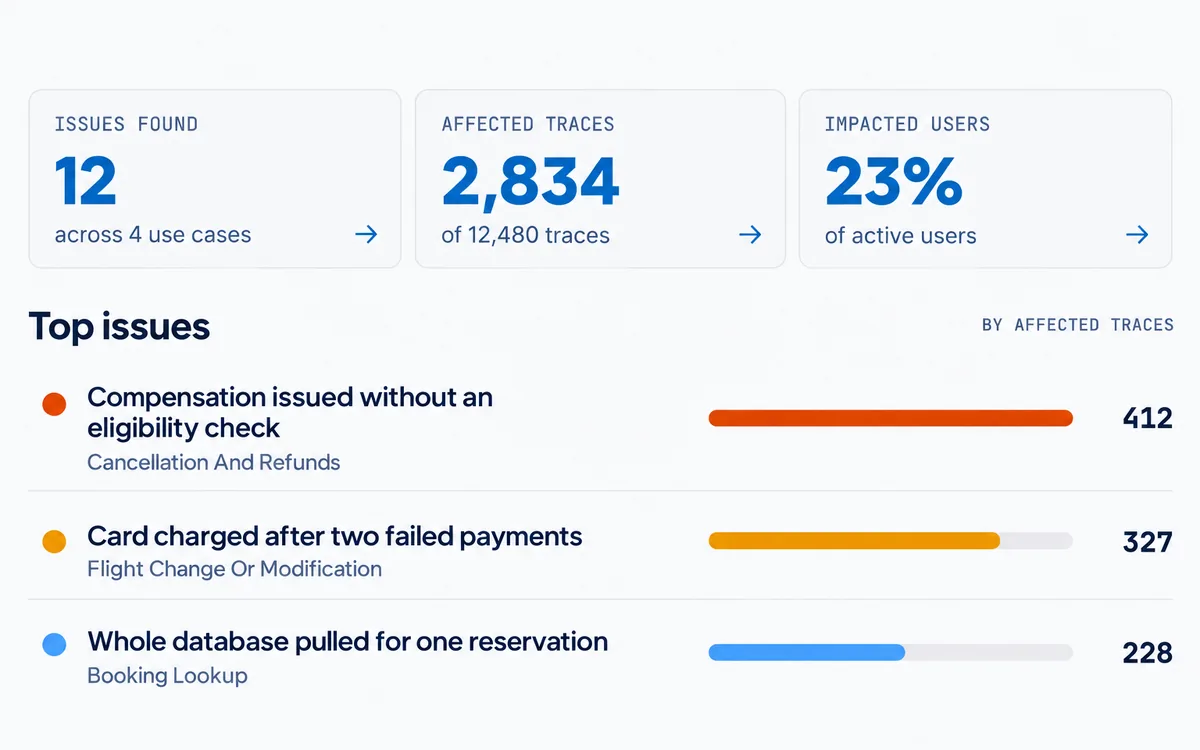
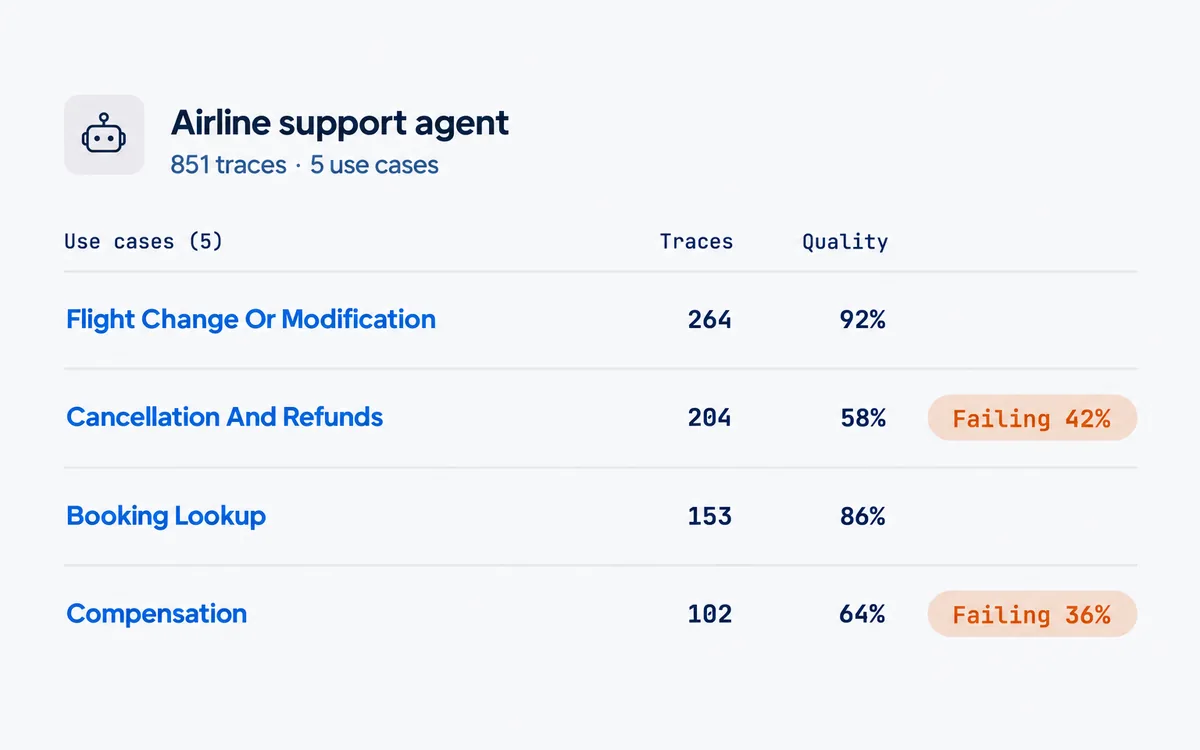
Papaya splits your traces into the business use cases your agent handles, and shows which ones work and which ones fail.
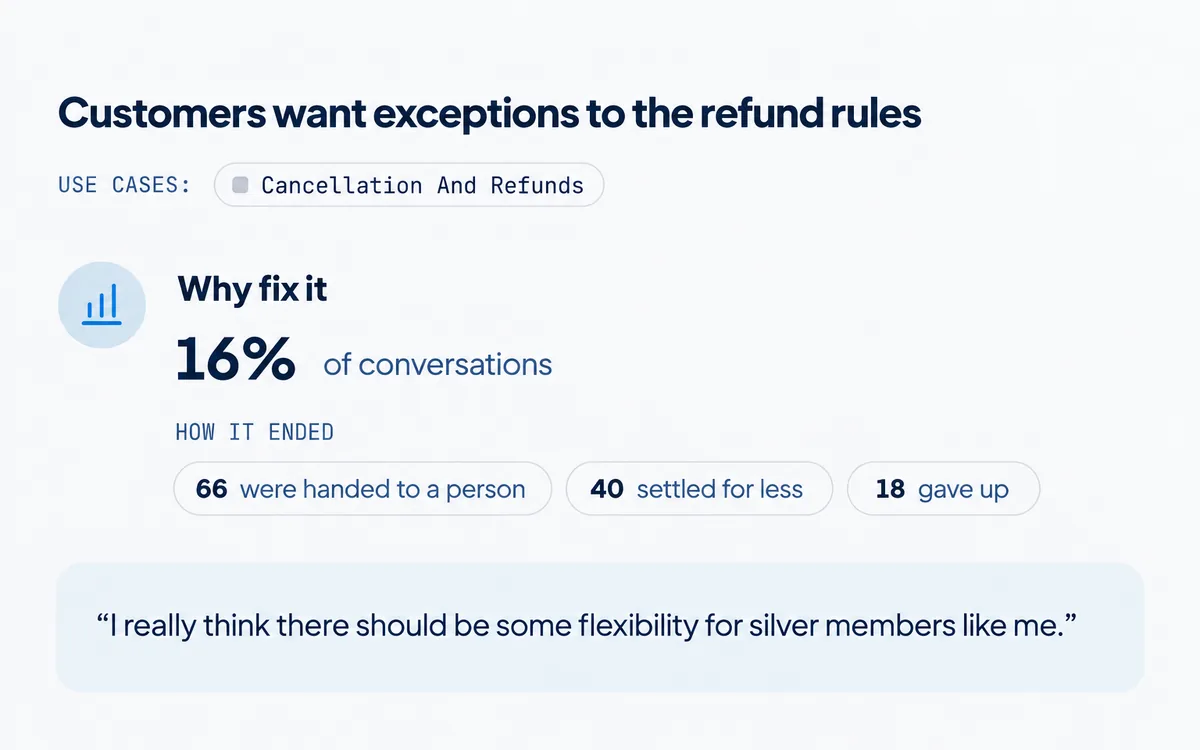
See the needs your agent couldn’t meet, how often they come up, and how those conversations ended.
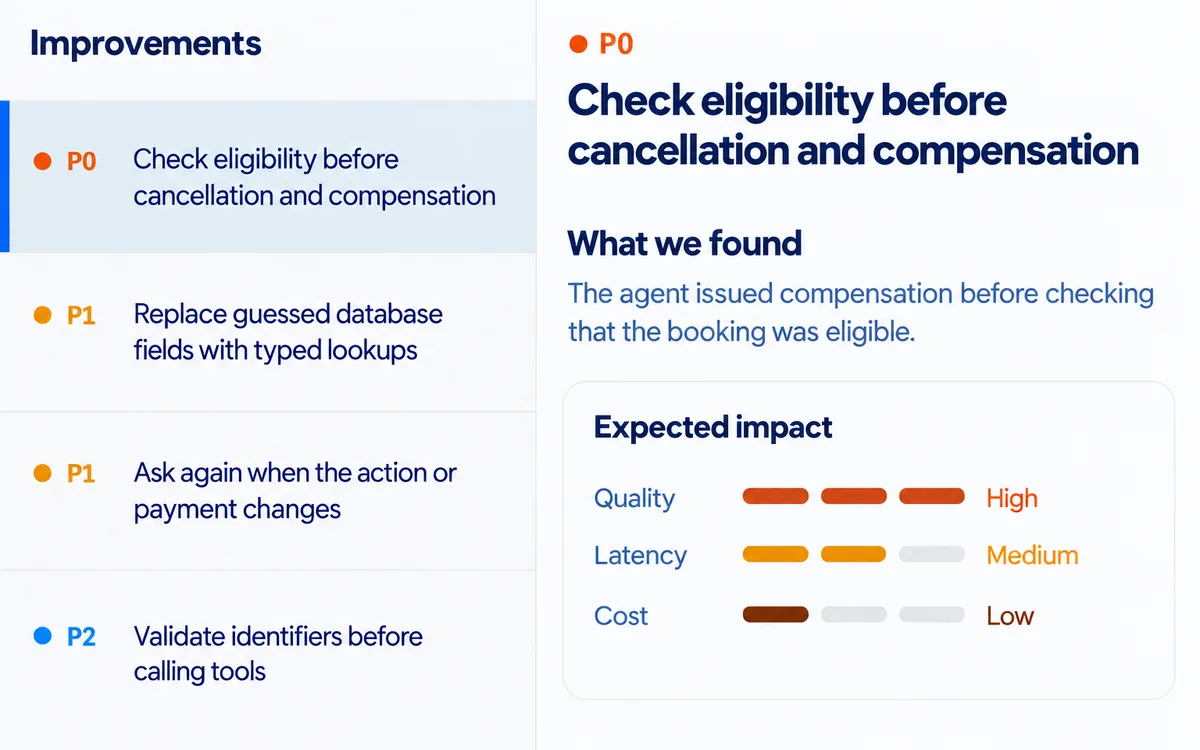
Know which improvements will have the highest impact on quality, latency, and cost. Implement the ones you choose.
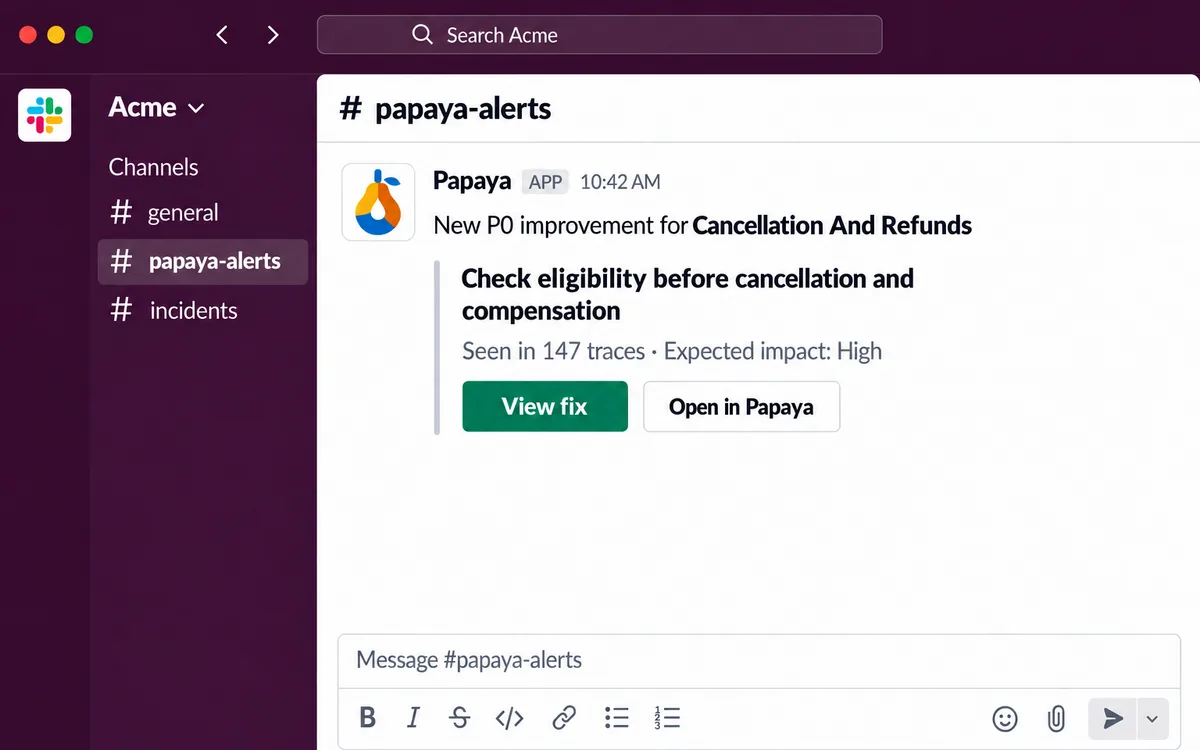
Get Slack alerts when Papaya finds an improvement, and get the fix as a pull request against your code.
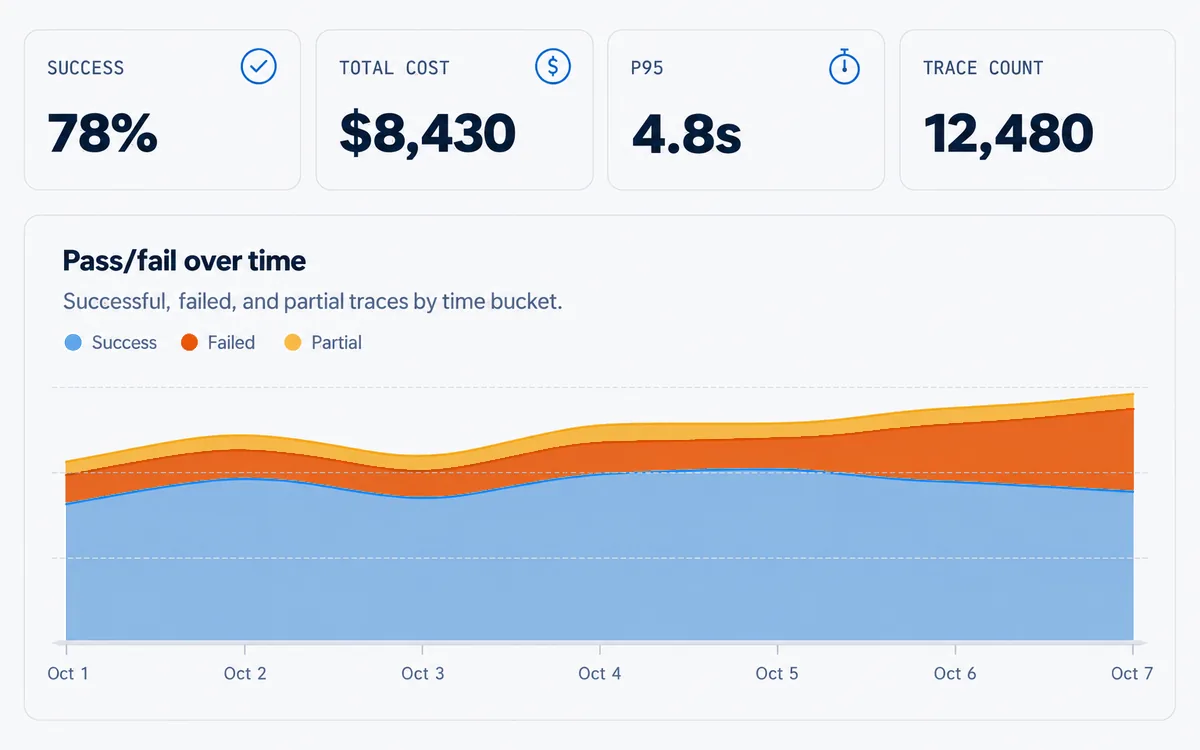
Get an overall picture of performance of your agents with top recommendations for improvement.
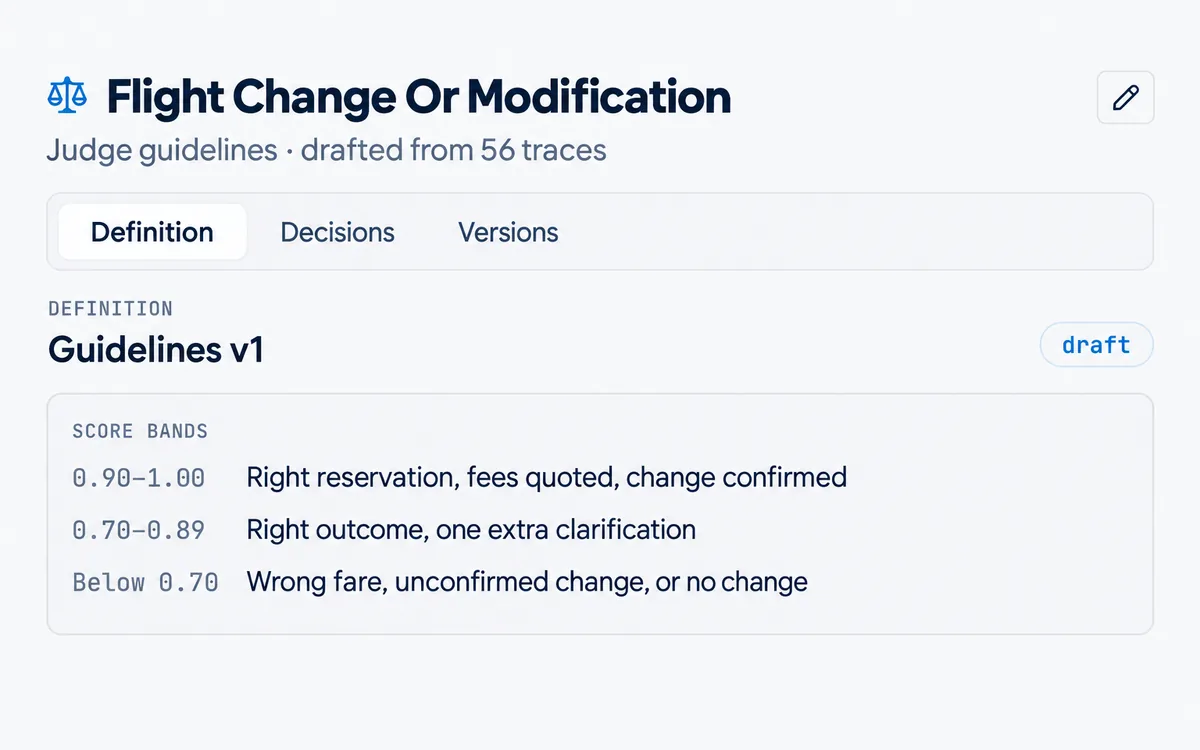
Build an evaluation rubric automatically from trace data and customer signals. Tell it what edits you want to make.
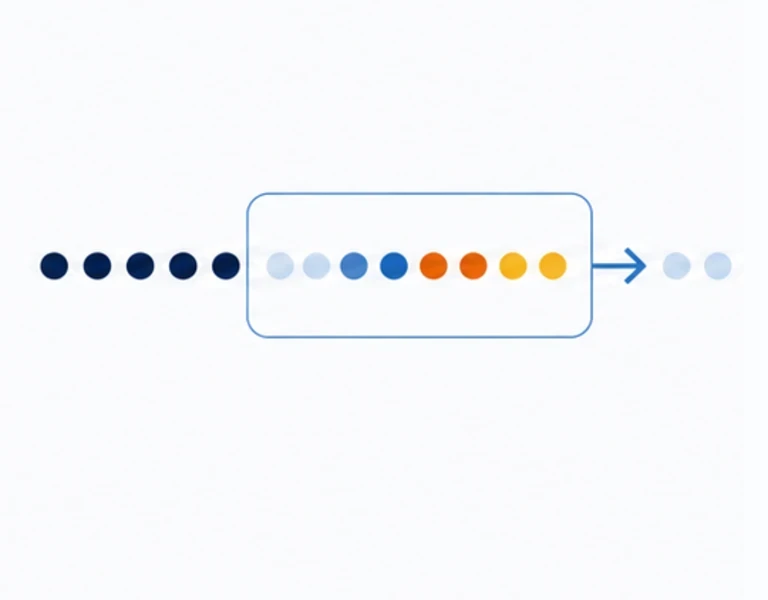
Papaya runs 200+ analyses on your own traffic around the clock and flags the fixes worth making — with proof.

Findings cluster across thousands of sampled runs by root cause — not one trace at a time. Each one tells you how many runs it affects.
Live alerts when quality metrics drift — before a customer escalates. You learn when it matters, not when you remember to check.
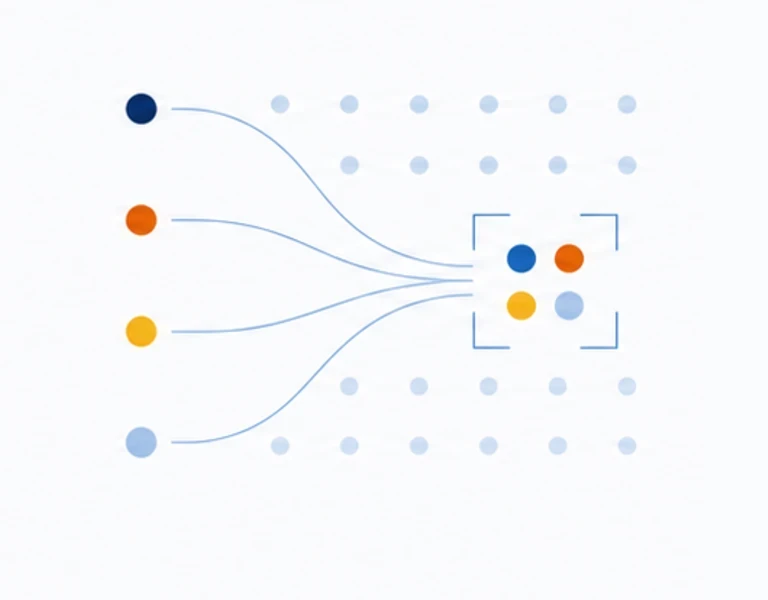
Drop-off, thumbs-down, Slack replies, and support tickets — all tied to the runs and code that actually produced them.

Every fix you ship and every new run feeds the next analysis. The system doesn't start from zero — findings get sharper as you go.



The questions engineering teams ask us most. Don't see yours? Book a call and ask us directly.
 SOC 2 Type 2 audit completeFinal report on its way. See our Trust Center
Those tools show you what happened in each run. Papaya picks up from there: it groups your traces into use cases by what users are trying to do, finds the problems that repeat across thousands of runs, and hands you a ranked list of fixes with the runs behind each one.
You don't need to replace the tool you use today. Papaya works alongside it and can import your traces from it.
No. Papaya runs 200+ analyses across prompts, context and memory, retrieval, tool calls, sub-agents, prompt caching, and model choice. It merges overlapping findings into a short list of fixes, ranked by their expected effect on quality, latency, and cost.
Wrap your LLM client with the Papaya SDK, which supports OpenAI, Anthropic, Vercel AI SDK, Bedrock, and Gemini, or use the fetch wrapper for a custom agent loop. Traces are sent asynchronously, so Papaya never slows down your agent.
Setup takes a few minutes, and you don't have to do it by hand: paste our setup prompt into Claude Code or Codex and your coding agent does the integration for you.
Full traces work best: the system prompt, user messages, model responses, tool calls with their results, and any sub-agent steps, plus timestamps and model names so Papaya can work out latency and cost. Partial exports still work, but the fixes get less specific.
About 100 traces from one agent is enough for a first analysis.
Every recommendation links to the runs it came from, highlights the exact spot in each trace, and includes trace IDs you can look up in your own logs. The evidence is quoted from your traces, not written by a model.
Each one also shows how many runs it affects and what fixing it is worth, so you can check it before you act.
For each use case, Papaya builds an LLM judge from your traces, so you don't have to write a rubric. The judge checks each step along the way, such as tool calls, sub-agent hand-offs, and errors, and then whether the run as a whole achieved what the user wanted.
You can edit any judge, bring your existing evals, or add user feedback such as thumbs up and down.
No. Papaya reads your traces and groups them into use cases by what users are trying to do, then analyzes each use case on its own. If you already label your traces, it can use your labels instead, and you can rename or merge use cases.
Connecting your code makes a big difference. Papaya can pinpoint exactly what to change, down to the prompt or line of code, and open a pull request with the fix for you to review. It also finds whole classes of problems that traces alone don't show, such as misconfigured settings or broken prompt caching.
So code access isn't required, and Papaya finds plenty from traces alone, but connecting your code greatly improves the results.
Any agent that does repetitive business tasks is a good candidate. Papaya compares many runs of the same task to learn what works and what doesn't, and because the agent runs again and again, every gain in quality, latency, and cost compounds.
There's no limit on the kind of agent. Papaya can read traces from any agent, including proprietary and custom-built ones: multi-step agents with sub-agents and hundreds of tool calls, chat and voice agents, and batch pipelines.
Besides the SDK, Papaya accepts OpenTelemetry data and exports from the observability tool you already use.
Papaya automatically scrubs common personal data, such as email addresses and phone numbers, before trace data is stored, and you can strip fields or leave out specific customers in your own code before anything is sent.
All data is encrypted in transit and at rest, and access to it is restricted and logged.
Papaya has completed its SOC 2 Type 2 audit, and the final report is on its way. You can request our security documentation, data processing agreement, and subprocessor list from the Trust Center. We sign NDAs, and BAAs for healthcare data.
Papaya runs as a hosted service today. If you need a self-hosted deployment or data kept in a specific region, talk to us.
Yes, there's a free Developer plan, and your first analysis is on us: share traces from one agent in any format and we'll walk you through the results.
Paid plans are priced by trace volume, never per seat. See the pricing page for current plans and limits.